Voir nos cas clients
Allez plus loin avec nos ressources gratuites
La newsletter de Bulldozer
Êtes-vous prêt à accélérer ?


What Is a Tagging Plan and How Do You Build One?
Wondering how to structure your tags effectively to track performance? Discover how a tagging plan can transform your data strategy.
A well-designed tagging plan offers significant advantages: better data organization, accurate performance tracking, and optimized marketing campaigns.
In practice, it can help you increase conversion rates, better understand the customer journey, and optimize your ad spend. In this article, we'll explore in detail what a tagging plan is, why it's essential, and how to build one step by step.

Tagging Plan: Definition and Benefits
What Is a Tagging Plan?
A tagging plan, also known as a tag plan or tracking plan, is a strategic document that serves as a guide for implementing and managing tags on a website or mobile application. It lists all the data to be measured on a website or app, along with the implementation details.
A tagging plan typically includes:
- The data to be collected.
- Where to store that data in the analytics tool.
- The collection method.
- The owners of each element.
It plays a crucial role in any tagging strategy, translating business objectives into measurable data and guiding the implementation of the tagging plan.
Why Is a Tagging Plan Essential?
A well-designed tagging plan is essential for several reasons:
Ensuring Data Reliability
The tagging plan is critical for guaranteeing the reliability of collected data. It helps prevent measurement errors and ensures that data is relevant and actionable.
Optimizing Performance
By structuring data collection, the tagging plan enables more efficient analysis of user behavior. This facilitates optimization of both website performance and marketing campaigns.
Making Informed Decisions
With reliable, well-organized data, marketing and product teams can make smarter decisions based on precise insights.
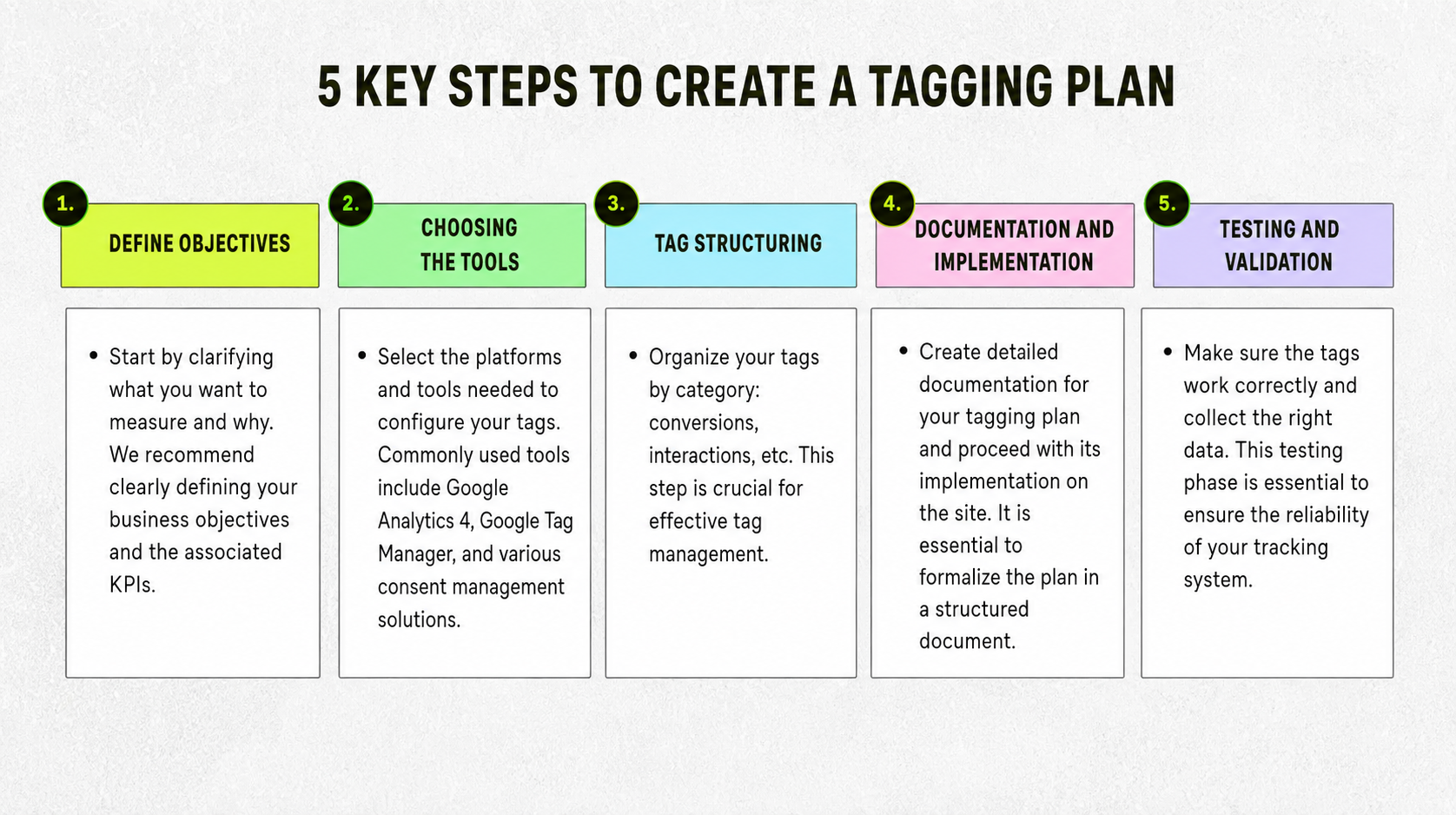
4 Key Steps to Create a Tagging Plan
Creating an effective tagging plan follows several key steps:
1. Define Your Objectives
Start by clarifying what you want to measure and why. We recommend clearly defining your business objectives and associated KPIs.
2. Choose Your Tools
Select the platforms and tools needed for your tag configuration. Commonly used tools include Google Analytics 4, Google Tag Manager, and various consent management solutions.
3. Structure Your Tags
Organize your tags by category (tracking, conversions, interactions). This step is critical for effective tag management.
4. Document and Implement
Create detailed documentation of your tagging plan and proceed with its implementation on the site. It's essential to formalize the plan in a structured document.
5. Test and Validate
Ensure that tags are working correctly and collecting the right data. This QA phase is essential for guaranteeing the reliability of your tracking system.



Practical Examples of Tagging Plans
To better understand the structure of a tagging plan, let's look at some concrete examples:
Tagging Plan for an E-Commerce Site
A sample tagging plan for an e-commerce site might include:
- Tracking product pages visited.
- Tracking add-to-cart actions.
- Measuring conversions and revenue.
- Analyzing the purchase journey.
Walmart Canada improved its mobile experience by making its site fully responsive. Through rigorous A/B testing and removing unnecessary distractions — such as the "See Details" button for out-of-stock products — Walmart achieved an overall 20% increase in conversions.
Even more impressive, mobile conversions increased by 98%. This case shows just how much optimizing site design and functionality based on customer data can significantly impact results.
Tagging Plan for a Blog
For a blog, the plan might focus on:
- Time spent on articles.
- Engagement rate (comments, shares).
- Newsletter sign-up tracking.
For example, a lifestyle blog implemented a detailed tagging plan including tracking of time spent on each article, social interactions, and newsletter sign-ups. The result: over 3 months, they saw a 20% increase in newsletter subscriptions and a 30% boost in engagement on comments and shares, thanks to adjustments in popular topic selection and optimized CTAs at the bottom of pages.
Best Practices and Tools for a Successful Tagging Plan
To optimize your tagging plan, follow these best practices:
Common Mistakes to Avoid When Defining Your Tagging Plan
Here are a few mistakes to avoid:
- failing to name tags correctly;
- trying to measure everything indiscriminately;
- neglecting regular updates to the plan.
Make sure to keep your tagging plan up to date as your marketing objectives and tracking technologies evolve.
Tools and Resources for Creating and Managing a Tagging Plan
Several tools can help you create and manage your tagging plan:
Google Tag Manager (GTM)
GTM is an essential tool for implementing your tagging plan. It allows you to:
- Centralize the management of all your tags.
- Deploy and update tags without developer involvement.
- Create custom triggers for your tags.
- Test your tags before going live.
Google Analytics 4
GA4 is the go-to analytics tool for leveraging the data collected via your tagging plan. It offers:
- Detailed reports on user behavior.
- Advanced customer journey analytics.
- Predictive capabilities based on machine learning.
Consent Management Tools
These tools are critical for complying with data protection regulations while implementing your tagging plan.
A tagging plan that's well designed is the cornerstone of an effective data strategy. It not only enables you to collect valuable insights on user behavior, but also optimize your marketing performance and make informed decisions. By following the steps and best practices outlined in this article, you'll be able to build a robust tagging plan tailored to your specific needs.
Don't wait to set up or optimize your tagging plan. Every day without precise tracking is a missed opportunity to improve performance. Start structuring your data collection approach now and quickly see the positive impact on your results!
Looking for practical tips to boost your visibility and conversion rate? Check out our growth resources available for free download.
.avif)