Publié par
Photo d'un membre de l'équipecurve whitecurve white
Charlotte Nowak
Content Manager
Blog
/
Brand Strategy
/
How No-Code Automation Is Changing the Way B2B Teams Work

How No-Code Automation Is Changing the Way B2B Teams Work

What if every small, time-consuming task you repeat each week ran itself, automatically, without any coding?

That's exactly what no-code automation platforms offer: accessible tools that connect over 5,000 applications — Gmail, Slack, HubSpot, and more — to automate your business processes without touching a single line of code.

You design an automated workflow, and everything follows: CRM updates, email sequences, report generation — all running on their own.

Here's how these no-code tools can change the way you work — especially if you operate in digital marketing or team management.

Dernière mise à jour :
05
/
06
/
2026

What exactly are no-code automation platforms?

A no-code automation platform connects your web applications so they execute processes automatically — no development expertise required. The logic is simple: "When this event happens here, trigger this action there."

An automated workflow has two components: a trigger (an event that starts the process) and one or more actions (what the platform executes automatically).

What this changes for your business in practice

These no-code platforms act as an intelligent connector between your apps: centralise recurring tasks, save hours every week, reduce human error, and improve overall efficiency.

Why digital marketing professionals are adopting these tools

By automating repetitive processes, they become a strategic lever for improving marketing productivity. Once configured, they run 24/7 with no supervision needed.

Real-world examples:

  • A prospect fills out a form → automatically added to your CRM, receives a personalised email, enters a nurturing sequence
  • An order is confirmed → data logged in Google Sheets, Slack notification fires, customer added to email platform
  • Each week, marketing KPIs are automatically pulled from Analytics and dropped into a Google Slides report

Advanced features

The best no-code tools offer: multi-step workflows, smart filters (only trigger when conditions are met), and conditional paths (different scenarios based on context).

Compatible with virtually everything

Over 5,000 native integrations: Slack, Gmail, HubSpot, Salesforce, Google Sheets, Notion, Airtable, Trello, Asana, ClickUp. Whatever your stack, there's a 99% chance you can automate part of it — without writing a line of code.

Want to find out how much time your team could save with automation?

Demander un audit gratuit
Carte ou profil utilisateur central mis en évidence, entouré d’autres profils en arrière-plan, suggérant une sélection ou une mise en avant d’un utilisateur.
bulldozer

Comparison of the main no-code automation platforms

ToolStrengthsLimitationsBest for...
ZapierIntuitive, 5,000+ integrations, fast setup, reliable.Expensive at high volumes. Less customisation than Make or n8n.Marketing professionals, sales teams, SMBs, freelancers.
Make (ex-Integromat)Very powerful for complex scenarios. Advanced visual interface. Fine-grained control.More technical. Steeper learning curve.Growth practitioners, product managers, no-code teams.
n8nOpen-source and free when self-hosted. Very powerful for custom use cases.Requires technical skills. Hosting and maintenance on you.Developers, technical teams, companies with bespoke needs.
IFTTTVery easy to use. Ideal for lightweight automations.Not suited for B2B. Limited professional integrations.Individuals, personal automations, home automation.

How to get started (without overthinking it)

  1. Create an account — free plan includes 100 tasks/month.
  2. Identify repetitive tasks: copying data, sending confirmation emails, filing leads.
  3. Choose two apps you use regularly: Typeform + Gmail, Google Sheets + Slack.
  4. Build your first workflow in 5 minutes: choose a trigger, add actions, test.
  5. Activate and watch it run — real-time, no supervision.
  6. Level up with multi-step workflows, filters, conditional paths.
  7. Measure your gains: minutes saved per day, errors avoided.

Conclusion

No-code automation platforms are a genuine productivity accelerator for marketing professionals, B2B operators, and project managers. In a few clicks, you automate recurring processes, connect your tools, and free up time to think, create, and decide.

FAQ

A no-code automation solution is an accessible tool that lets you connect web applications to one another to run workflows automatically. Users can easily automate repetitive tasks through a system of triggers and actions. Example: a new contact in Typeform → an email is sent + a row is added in Google Sheets. All of this without programming or complex no-code development. These no-code tools offer an intuitive user experience that lets you build applications and automate processes in just a few clicks.

Absolutely. Low-code and no-code solutions adapt perfectly to the needs of a company of any size thanks to their flexibility and their ability to operate at scale. Their advanced features (multi-step workflows, conditional paths, smart filters) and their integrations with more than 5,000 business applications make it possible to customize processes according to the specific needs of each organization. Their ease of use and quick onboarding make them expert tools that are particularly appreciated by both technical and non-technical teams. The autonomy they give users is a key element for saving time and resources.

To choose the best solution, several selection criteria are important to consider. First, assess ease of use and a user-friendly interface - top tools like Zapier favor simplicity with an intuitive drag-and-drop approach. Next, analyze which no-code benefits deliver the most value: speed of implementation, workflow flexibility, and the ability to easily customize processes. The strength of some tools lies in their extensive access to integrations, while others like Make (formerly Integromat) offer more customization power but require greater technical knowledge. For a company in France, it is essential to master these differences in order to make the right choice based on its company culture and long-term objectives.

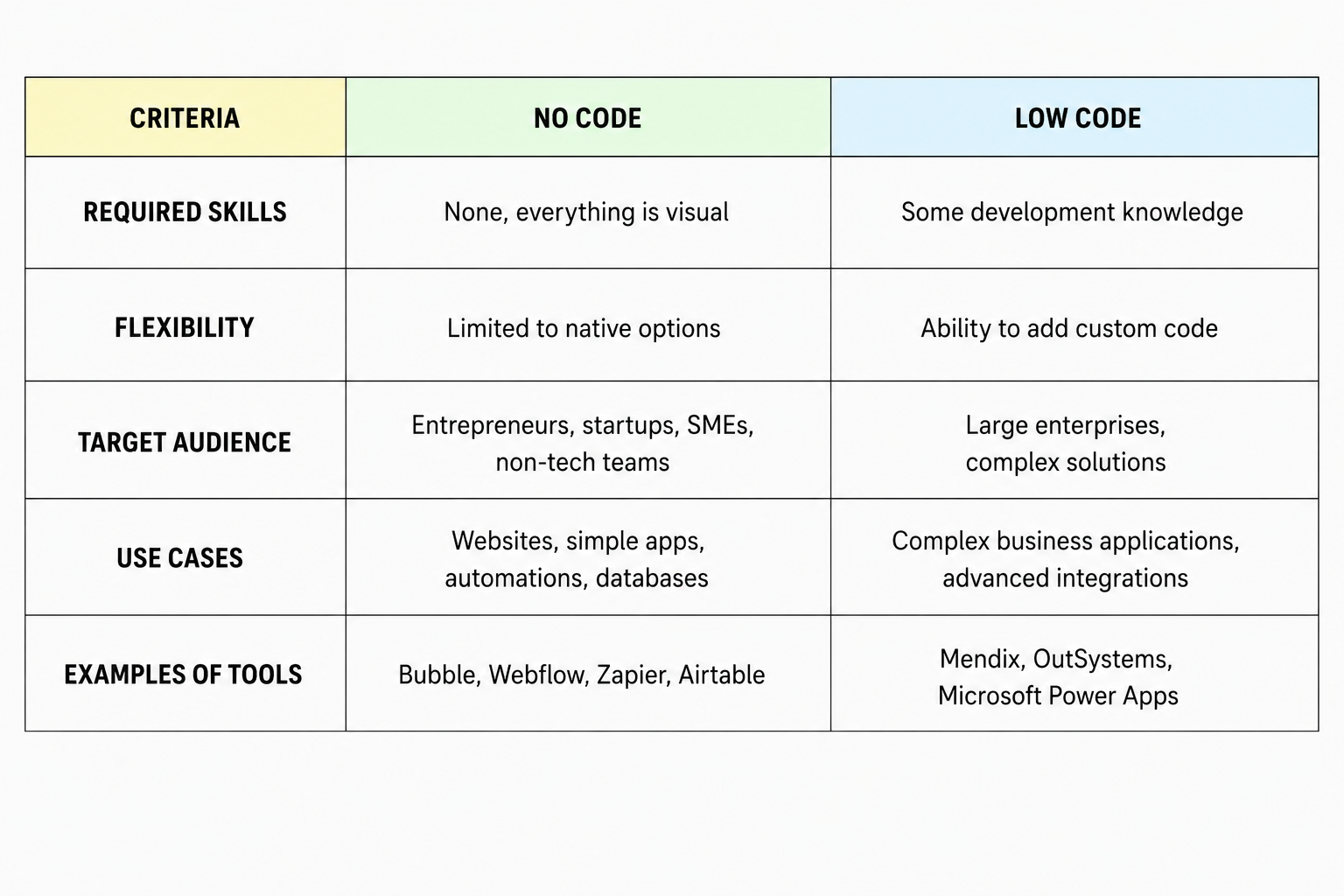
No-code tools like Zapier are designed to be used without any programming - they favor a user-friendly interface that lets any user build applications and automate processes easily. No-code automation is based on predefined trigger types and actions that can be configured with a single click. Low-code solutions, on the other hand, offer more flexibility to customize complex workflows while remaining remarkably easy to use. They allow no-code developers to occasionally integrate custom code under specific conditions, thus offering the best of both worlds. The key difference lies in the vision: no-code aims for full autonomy for the non-technical user, while low-code is a middle ground for those who want more customization power while keeping development fast.

Getting started with no-code tools is remarkably fast thanks to their ease of use. A beginner can configure their first automation workflow in less than 30 minutes, with no prior programming knowledge. The top tools generally offer complete support with tutorials and guides to easily learn the advanced features. To fully master the process automation capabilities and create more complex applications, allow a few hours to a few days depending on your specific needs. The key to success lies in how easily these platforms let you drag and drop elements to build custom processes. This personalized approach ensures an optimal user experience and a gradual skill ramp-up, even for those with no prior technical background.

Yes, the most advanced no-code tools now incorporate machine learning and artificial intelligence capabilities. These features make it possible to automate more sophisticated tasks such as predictive analysis, automatic data classification, or personalizing the user experience at scale. Implementing these technologies remains accessible thanks to user-friendly interfaces that hide the technical complexity. Users can thus configure intelligent workflows without complex no-code development, while benefiting from the power and flexibility of these advanced technologies. This represents the future of no-code automation: giving every company, whatever its size, the power to implement intelligent solutions easily and quickly.

Pour aller plus loin

Comment utiliser le snack content pour engager votre audience B2B

How to Use Snack Content to Engage Your B2B Audience?

Content Marketing
B2B
Killian Drecq
Web-to-Store

Web-to-Store: Turn Your Visitors into Physical Customers

Brand Strategy
Content Marketing
Killian Drecq
organique-linkedin

The End of Free LinkedIn Reach: The Playbook to Keep Your Impact

SEA
Content Marketing
Sébastien Castelli

Let's talk.

Full-funnel
500+ clients
300+ membres
Prendre un rdv stratégique